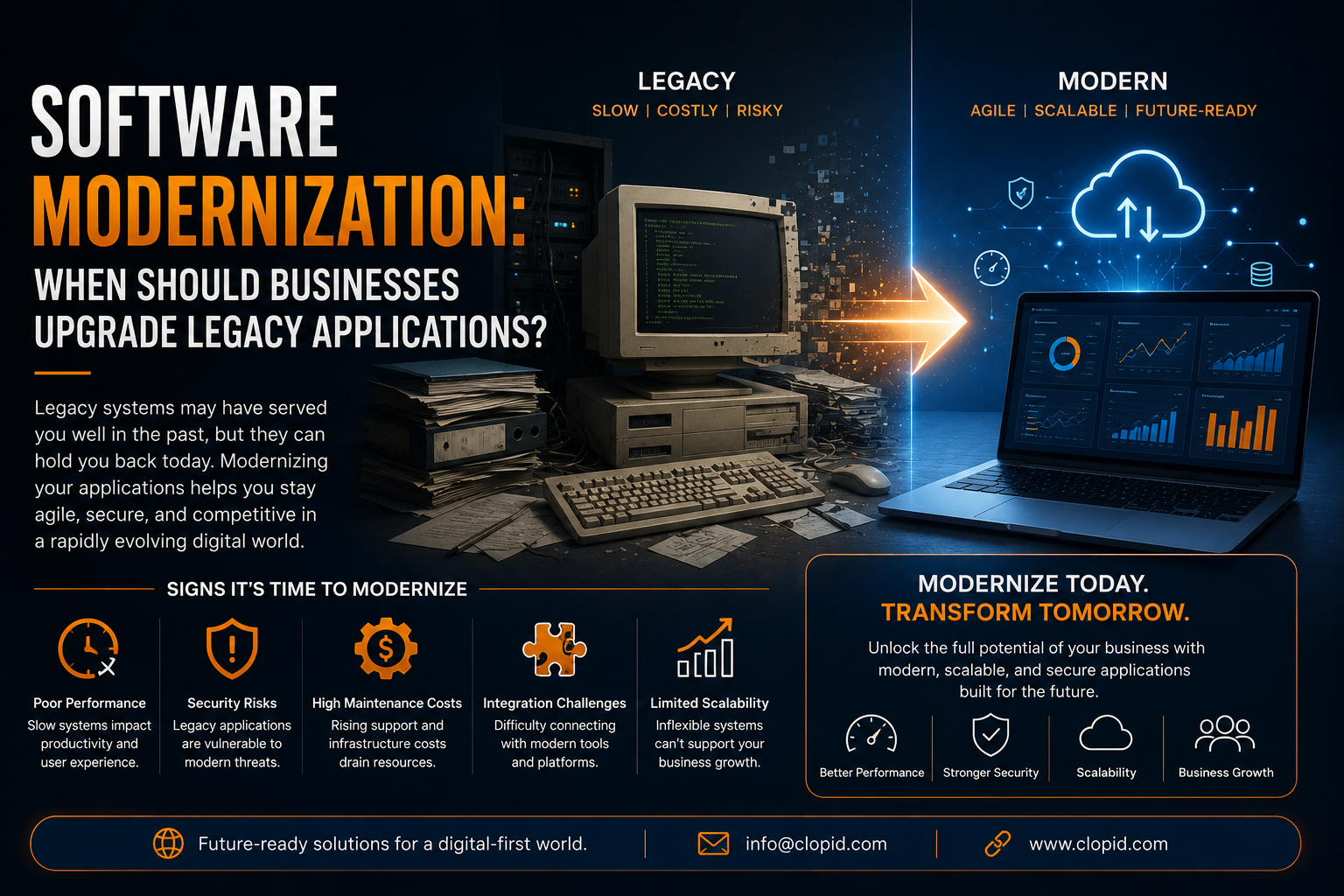
Software Modernization: When Should Businesses Upgrade Legacy Applications?
Software has become the foundation of modern business operations. From customer management and finance to supply chains, employee workflows, analytics, and communication, organizations depend on applications to keep their businesses running efficiently.
However, many businesses continue to rely on legacy applications that were developed years or even decades ago.
These applications may still perform essential functions, but aging technology can gradually become a business challenge. Outdated architecture, limited integrations, security vulnerabilities, poor scalability, and high maintenance costs can make it increasingly difficult for organizations to compete in a technology-driven market.
This is where software modernization becomes important.
Software modernization is not simply about replacing old software with new software. It involves evaluating existing applications, identifying limitations, and strategically transforming them so they can support current and future business requirements.
For organizations considering digital transformation, the key question is:
When is the right time to modernize a legacy application?
The answer depends on business requirements, application performance, security, scalability, cost, and the organization's long-term technology strategy.
What Is Software Modernization?
Software modernization is the process of updating, restructuring, migrating, or replacing existing applications to improve their performance, security, scalability, maintainability, and compatibility with modern technologies.
A legacy application may still work correctly, but that does not necessarily mean it is efficient or future-ready.
Modernization can involve:
- Updating application architecture
- Migrating applications to the cloud
- Refactoring legacy code
- Rebuilding applications
- Replacing outdated systems
- Modernizing databases
- Implementing APIs
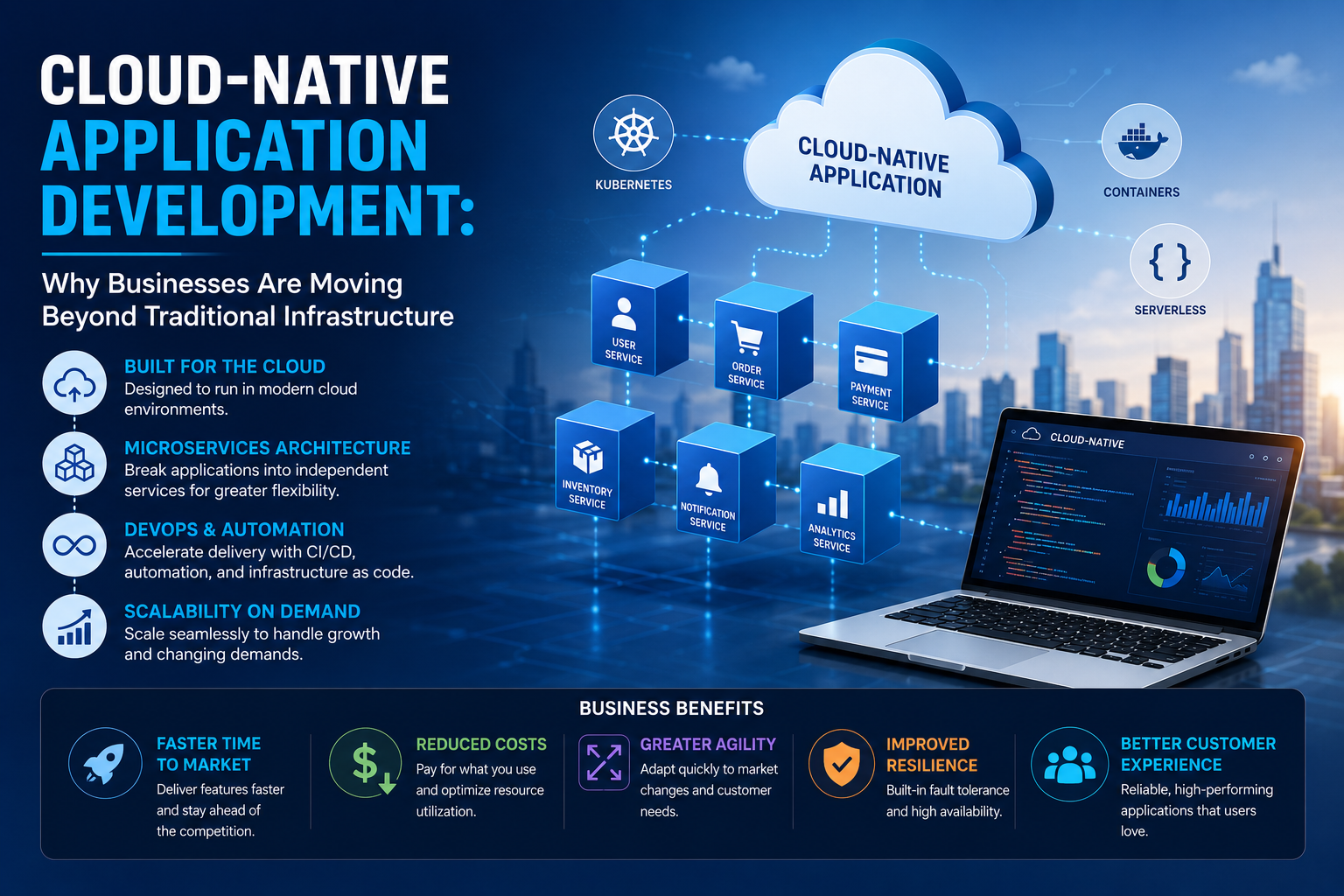
- Introducing microservices
- Improving cybersecurity
- Integrating AI and automation
- Improving user interfaces
- Modernizing infrastructure
The appropriate strategy depends on the condition of the application and the business objectives.
Why Do Businesses Still Use Legacy Applications?
Many organizations hesitate to modernize because legacy systems often perform critical business functions.
Some applications have been operating for years and contain valuable business logic and historical data.
Businesses may continue using them because:
- They are deeply integrated into operations.
- Employees are familiar with them.
- Replacing them may appear expensive.
- The application still performs its core function.
- Migration could introduce operational risks.
- Business processes depend heavily on the existing system.
- Documentation may be limited.
- The original developers may no longer be available.
Therefore, modernization should not automatically mean completely replacing an application.
In many cases, organizations can modernize the existing system gradually.
Why Legacy Applications Become a Business Problem
Legacy software becomes problematic when the cost and limitations of maintaining it begin to outweigh its business value.
An outdated application can affect multiple areas of an organization.
Technology
Old frameworks and architectures may make the application difficult to update.
Security
Unsupported software and outdated dependencies can increase security risks.
Performance
Applications may struggle with increasing workloads.
Integration
Legacy systems may have difficulty connecting with modern APIs, cloud platforms, mobile applications, and data systems.
Cost
Maintenance can become increasingly expensive when specialized legacy expertise is required.
Innovation
Businesses may struggle to introduce new features quickly.
These challenges can eventually affect the organization's competitiveness.
10 Signs Your Business Needs Software Modernization
1. The Application Is Difficult to Maintain
One of the clearest warning signs is increasing maintenance difficulty.
If even minor changes require significant development effort, the application's architecture may be limiting business agility.
For example, adding a simple feature might require developers to modify multiple interconnected components.
This increases:
- Development time
- Testing requirements
- Maintenance costs
- Risk of introducing bugs
A modern architecture should make it easier to modify and extend functionality.
2. Security Vulnerabilities Are Increasing
Security should be one of the highest priorities when evaluating legacy applications.
Older applications may depend on:
- Unsupported frameworks
- Outdated libraries
- Weak authentication mechanisms
- Deprecated encryption methods
- Unpatched dependencies
- Outdated operating systems
If security updates are difficult or impossible to implement, modernization becomes increasingly important.
A security incident can result in:
- Financial losses
- Operational disruption
- Data exposure
- Regulatory consequences
- Reputational damage
Businesses should therefore evaluate security risks before deciding to continue maintaining an aging system.
3. The Application Cannot Scale
A legacy application may have been designed for a much smaller business.
As the organization grows, the system may struggle with:
- Increasing users
- Higher transaction volumes
- Larger datasets
- More integrations
- Multiple locations
- Increased customer demand
If performance declines as the business grows, modernization may be necessary.
Cloud-native architectures, scalable databases, caching, containerization, and modern application architectures can help organizations build systems that scale more effectively.
4. Integration With Modern Systems Is Difficult
Modern businesses rarely operate with one application.
Organizations commonly use:
- CRM platforms
- ERP systems
- Payment systems
- Marketing platforms
- Cloud services
- Analytics platforms
- Mobile applications
- AI tools
If a legacy application cannot communicate efficiently with other systems, it can create information silos.
Modern APIs and integration architectures can help connect applications and create a more unified technology environment.
5. Maintenance Costs Keep Increasing
An application that appears inexpensive to maintain can become costly over time.
Organizations may need specialized developers with knowledge of older programming languages or technologies.
Costs may include:
- Developer salaries
- Infrastructure
- Licensing
- Security updates
- Bug fixes
- Custom integrations
- Downtime
- Technical support
Businesses should calculate the total cost of ownership, rather than looking only at annual maintenance expenses.
Sometimes investing in modernization can reduce long-term operational costs.
6. Developers Avoid Working With the Technology
Technology talent is increasingly concentrated around modern development ecosystems.
If businesses struggle to find developers capable of maintaining their legacy technology stack, they may face a growing skills gap.
This can create:
- Hiring difficulties
- Higher development costs
- Knowledge dependency
- Slower innovation
- Increased operational risk
Modernizing the technology stack can make it easier to attract and retain developers with current technical skills.
7. New Features Take Too Long to Develop
Business requirements change quickly.
Customers expect new digital experiences, integrations, automation, and personalized services.
If adding a new feature takes months because of legacy architecture, the technology may be slowing business growth.
Modern software architectures can support more flexible development and deployment processes.
8. The User Experience Feels Outdated
Technology modernization is not only about backend infrastructure.
User experience matters too.
An outdated interface can make applications:
- Difficult to navigate
- Slow
- Unresponsive
- Difficult to use on mobile devices
- Less accessible
Poor user experience can affect employee productivity as well as customer satisfaction.
Modernization can include redesigning interfaces and improving application usability.
9. Data Is Trapped in Silos
Legacy applications often store information in isolated databases.
This can make it difficult to create a unified view of customers, operations, and business performance.
Modern data architectures can help organizations connect information across:
- Applications
- Databases
- CRM systems
- ERP platforms
- Analytics tools
- Cloud environments
Better data accessibility can support business intelligence and AI initiatives.
10. The Application Prevents Innovation
Perhaps the biggest warning sign is when technology becomes a barrier to business strategy.
If an organization wants to introduce:
- AI
- Automation
- Mobile applications
- Real-time analytics
- Cloud services
- New digital products
but the existing application cannot support these initiatives, modernization may be necessary.
When Should Businesses Modernize?
There is no universal modernization date.
However, businesses should strongly consider modernization when one or more of the following situations occur:
Security Risk
The system can no longer receive adequate security updates.
Business Growth
The application cannot handle increasing workloads.
Integration Requirements
The system cannot integrate with critical modern platforms.
High Maintenance Cost
Maintenance costs are becoming disproportionate to the application's business value.
Poor Performance
Users experience frequent slowdowns or outages.
Innovation Roadblocks
The application prevents implementation of important technologies.
Vendor or Technology End-of-Life
The underlying platform or framework is no longer supported.
Skills Shortage
The organization cannot reliably find people capable of maintaining the technology.
Software Modernization Strategies
Modernization does not always mean rebuilding everything from scratch.
Businesses can choose different approaches depending on their requirements.
1. Rehost
Often described as "lift and shift."
The application is moved to a new infrastructure environment with minimal changes.
Best for:
- Faster infrastructure migration
- Reducing dependency on outdated infrastructure
- Initial cloud migration
Limitation:
The underlying application architecture may remain largely unchanged.
2. Replatform
The application is moved to a modern platform while making limited architectural changes.
For example, an application might be migrated to a managed cloud database or modern runtime environment.
Benefits:
- Improved infrastructure
- Better scalability
- Lower operational burden
- Faster modernization
3. Refactor
Refactoring involves restructuring existing code without fundamentally changing the application's functionality.
This can improve:
- Maintainability
- Performance
- Code quality
- Scalability
Refactoring can be useful when the existing business logic remains valuable but the underlying code needs improvement.
4. Rearchitect
Rearchitecting changes the underlying architecture of the application.
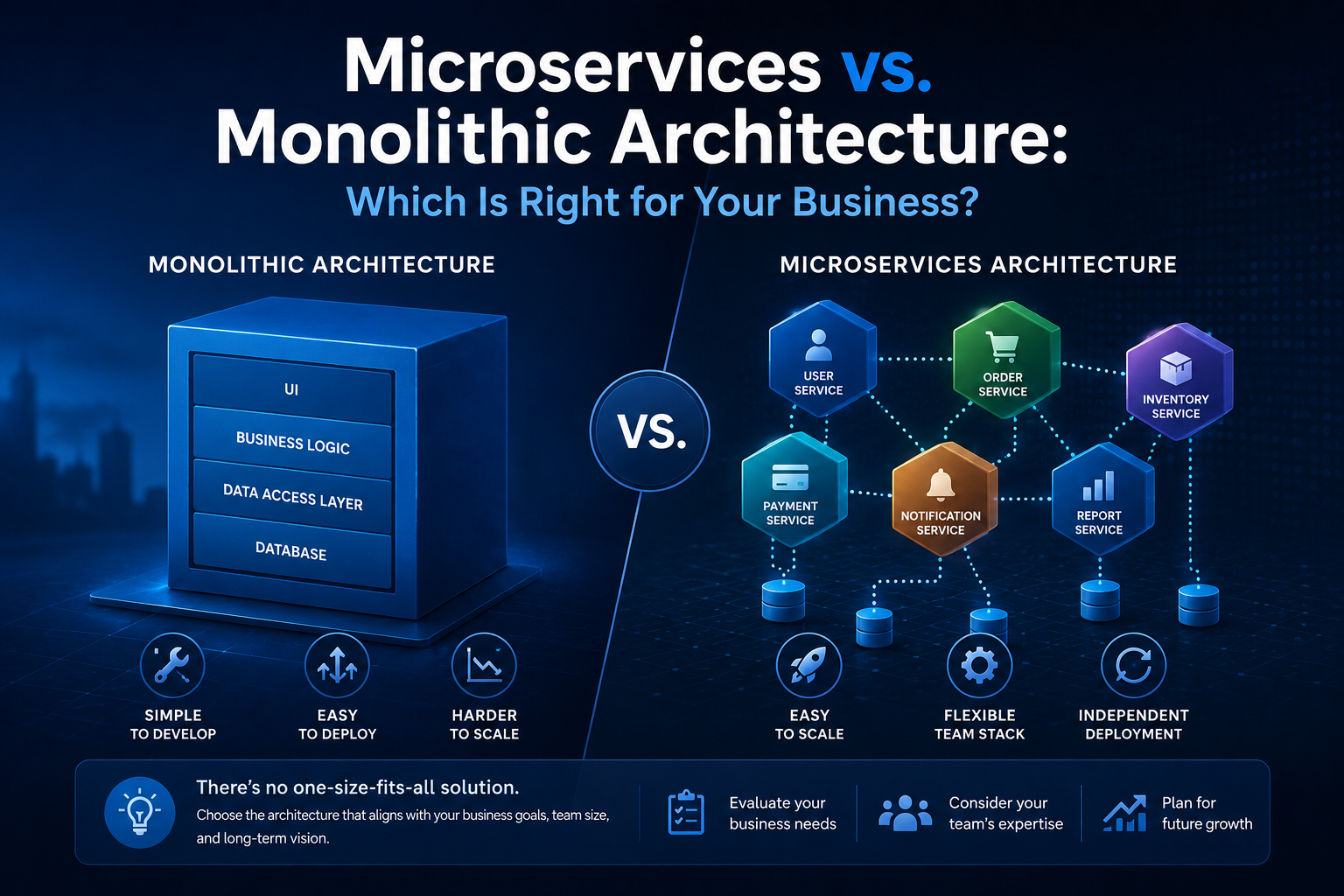
For example, a monolithic application may be gradually transformed into a modular or microservices-based architecture.
Benefits:
- Better scalability
- Independent deployment
- Improved flexibility
- Easier integration
However, rearchitecting requires careful planning and strong technical expertise.
5. Rebuild
Sometimes rebuilding the application is the most practical option.
The business requirements are retained, but the application is developed using modern technologies.
Best for:
- Highly outdated applications
- Poor-quality legacy code
- Major UX problems
- Limited scalability
- Severe integration limitations
6. Replace
Sometimes modernization means replacing the legacy application entirely with a modern commercial or custom-built solution.
This can be appropriate when:
- The existing system no longer provides sufficient business value.
- Modern alternatives are available.
- Maintaining the old system is too expensive.
- Business requirements have changed significantly.
7. Retire
Not every legacy application needs modernization.
Some applications may no longer be necessary.
Businesses should identify systems that can be safely retired.
Removing unnecessary applications can reduce:
- Infrastructure costs
- Security risks
- Maintenance requirements
- Operational complexity
A Practical Software Modernization Roadmap
Businesses should approach modernization strategically.
Phase 1: Application Assessment
Evaluate:
- Architecture
- Code quality
- Security
- Performance
- Dependencies
- Infrastructure
- Integrations
- Data
- Maintenance costs
Phase 2: Business Impact Analysis
Determine how important the application is to business operations.
Ask:
- How many departments depend on it?
- What happens if it becomes unavailable?
- Which processes depend on it?
- What revenue does it support?
- What customer experiences rely on it?
Phase 3: Define Modernization Goals
Establish measurable objectives.
For example:
- Reduce application downtime.
- Improve response time.
- Reduce maintenance costs.
- Enable cloud scalability.
- Improve security.
- Introduce API integration.
- Enable AI capabilities.
Phase 4: Select the Right Strategy
Choose between:
Rehost → Replatform → Refactor → Rearchitect → Rebuild → Replace → Retire
based on business requirements.
Phase 5: Create a Migration Plan
A modernization project should include:
- Timeline
- Budget
- Resources
- Dependencies
- Testing strategy
- Security controls
- Rollback plan
- Data migration strategy
Phase 6: Implement Incrementally
Avoid unnecessary "big bang" transformations.
A phased approach can reduce operational risk.
Businesses can modernize one module, service, or workflow at a time.
Phase 7: Test Thoroughly
Testing should cover:
- Functional requirements
- Performance
- Security
- Integration
- Data accuracy
- User experience
- Scalability
Phase 8: Monitor and Optimize
After deployment, continuously monitor:
- Performance
- Availability
- Security
- Infrastructure costs
- User feedback
- Application usage
Modernization should be treated as an ongoing process rather than a one-time project.
Benefits of Software Modernization
Improved Performance
Modern architecture and infrastructure can improve application responsiveness and reliability.
Better Security
Updated technologies can provide stronger security capabilities and easier patch management.
Greater Scalability
Modern systems can be designed to accommodate changing workloads.
Lower Long-Term Costs
Modernization can reduce technical debt and maintenance complexity.
Faster Innovation
Developers can introduce new features and integrations more efficiently.
Better User Experience
Modern interfaces can improve employee and customer interactions.
Easier Integration
APIs and modern integration architectures allow applications to connect with other systems.
AI and Automation Readiness
Modernized applications are generally better positioned to integrate AI, automation, analytics, and cloud services.
Challenges of Software Modernization
Modernization also comes with challenges.
Cost
Large modernization projects can require significant investment.
Data Migration
Moving historical data without losing accuracy can be complex.
Business Disruption
Poorly planned modernization can affect daily operations.
Legacy Dependencies
Old systems may depend on undocumented processes or applications.
Employee Adoption
Employees may need training when systems change.
Technical Complexity
Large applications can contain decades of accumulated business logic.
The solution is not to avoid modernization but to manage these risks through proper planning, phased implementation, testing, and governance.
How AI Is Changing Software Modernization
Artificial intelligence can support modernization initiatives in several ways.
AI-assisted development tools can help developers:
- Analyze legacy code
- Identify dependencies
- Generate documentation
- Detect potential vulnerabilities
- Assist with code conversion
- Generate test cases
- Identify repetitive code
- Support refactoring
AI can therefore accelerate parts of the modernization process.
However, legacy modernization should not be treated as a fully automated task.
Human technical expertise remains essential for understanding business logic, architecture, security, compliance, and migration risks.
Software Modernization and Cloud
Cloud modernization is often closely connected with application modernization.
Businesses can use cloud platforms to support:
- Elastic scalability
- Managed databases
- Automated deployment
- Disaster recovery
- Application monitoring
- Infrastructure automation
- AI workloads
However, simply moving an outdated application to the cloud does not necessarily make it modern.
Cloud migration and application modernization are related but different processes.
A business should determine whether the goal is simply infrastructure migration or deeper architectural transformation.
Software Modernization ROI
Before starting a modernization project, businesses should define how success will be measured.
Useful metrics include:
| Area | Example KPI |
|---|---|
| Performance | Response time |
| Reliability | System uptime |
| Security | Vulnerability count |
| Development | Release frequency |
| Cost | Maintenance expenditure |
| Scalability | Supported transaction volume |
| User Experience | User satisfaction |
| Productivity | Processing time |
| Integration | Number of connected systems |
A successful modernization project should generate measurable improvements rather than simply introduce new technology.
Should Every Legacy Application Be Modernized?
No.
Modernization should be based on business value.
A legacy application may not require immediate modernization if:
- It is stable.
- It is secure.
- It has low maintenance costs.
- It does not require significant changes.
- It does not create business constraints.
- The underlying technology remains adequately supported.
In such cases, modernization may not provide sufficient ROI.
The key question is:
Is the legacy application becoming a limitation to business growth, security, efficiency, or innovation?
If the answer is yes, modernization deserves serious consideration.
Conclusion
Legacy applications can continue to provide value, but businesses should not allow aging technology to become a barrier to growth.
Software modernization provides a structured way to improve existing systems while aligning technology with current business requirements.
Organizations should consider modernization when applications become difficult to maintain, expensive to operate, insecure, difficult to integrate, unable to scale, or incapable of supporting new business initiatives.
The right approach does not always involve completely replacing an existing system. Depending on the situation, businesses can rehost, replatform, refactor, rearchitect, rebuild, replace, or retire applications.
The most successful modernization strategies combine business objectives, technical architecture, cybersecurity, data, cloud infrastructure, user experience, and measurable ROI.
As businesses prepare for increasingly AI-driven and connected operations, modern software architecture will become an important foundation for innovation.
For organizations looking to modernize legacy applications, develop scalable software, integrate AI and automation, or strengthen their digital technology infrastructure, explore Clopid Smart Technology Solution for modern technology solutions designed around evolving business needs.
Frequently Asked Questions
What is software modernization?
Software modernization is the process of updating, restructuring, migrating, replacing, or improving legacy applications so they can better support modern business and technology requirements.
When should a business modernize a legacy application?
Businesses should consider modernization when an application creates security risks, scalability problems, high maintenance costs, integration limitations, poor performance, or prevents important business initiatives.
Does software modernization always require rebuilding an application?
No. Businesses can choose approaches such as rehosting, replatforming, refactoring, rearchitecting, rebuilding, replacing, or retiring an application.
How does software modernization improve cybersecurity?
Modernization can help organizations move away from unsupported technologies, update dependencies, strengthen authentication and access controls, improve monitoring, and adopt modern security practices.
Is cloud migration the same as software modernization?
No. Cloud migration moves an application or infrastructure to a cloud environment. Software modernization can involve deeper changes to application architecture, code, databases, integrations, security, and user experience.
How long does software modernization take?
The timeline depends on application complexity, business requirements, architecture, integrations, data, and the selected modernization strategy. Large legacy systems are often better modernized incrementally.
Can AI help modernize legacy applications?
Yes. AI-assisted tools can support code analysis, documentation, testing, refactoring, code conversion, and dependency analysis. Human technical oversight remains essential.
What is the biggest benefit of software modernization?
The biggest benefit is aligning technology with business needs so organizations can improve security, scalability, efficiency, integration, and their ability to innovate.
How can Clopid help with software modernization?
Clopid can support businesses with modern software and technology solutions, including application development, AI, enterprise technology, integration, and digital transformation initiatives.
Ready to modernize your legacy applications? Explore Clopid and build a more scalable, secure, and future-ready technology environment.